Clayre and eef
- Home
- portfolio
- Flutter
- iOS & Android Apps (Native)
- Clayre and eef
Digital in-store product navigation & inventory management system for
Clayre & Eef
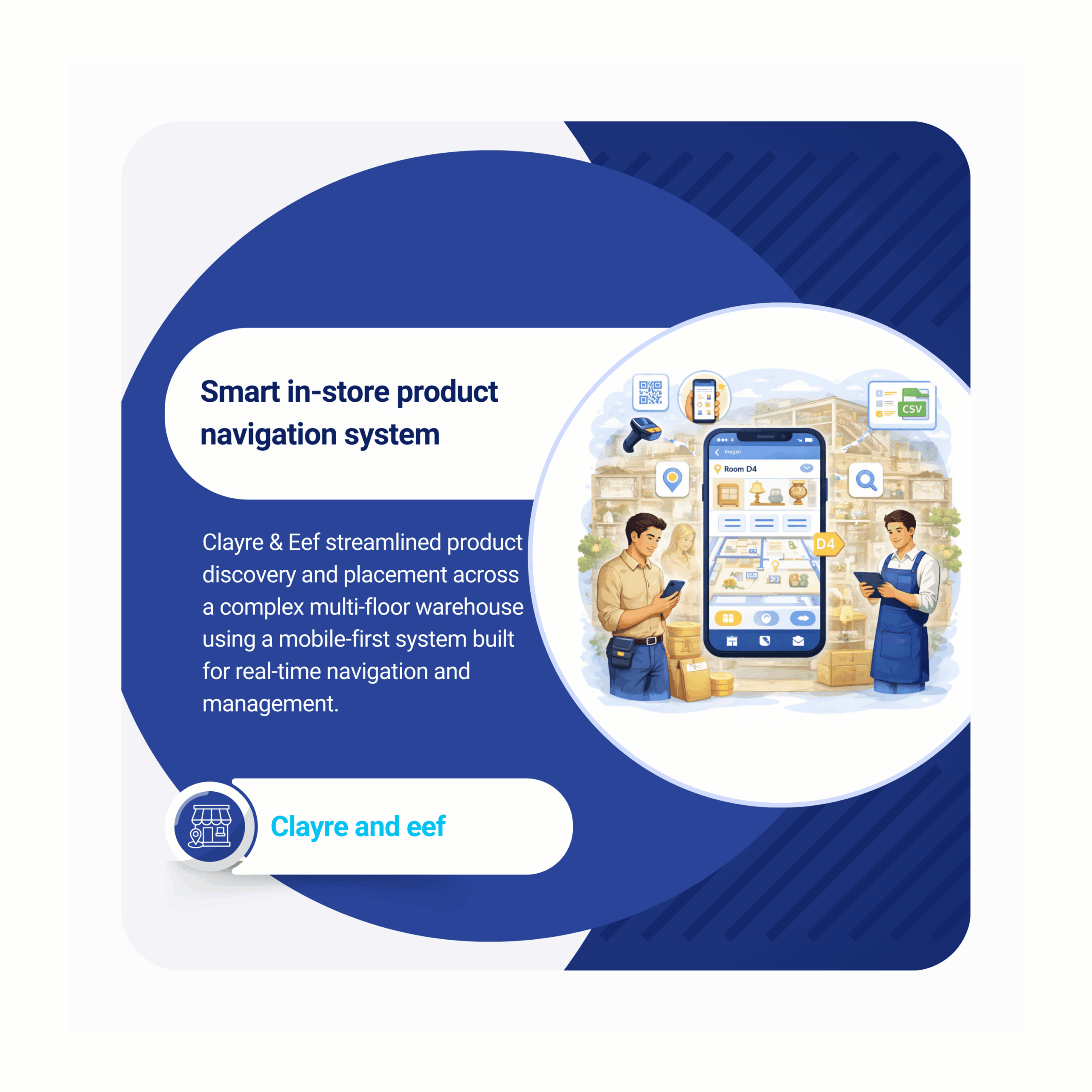
Clayre & Eef is a Netherlands-based wholesale brand operating a large multi-floor warehouse and Cash & Carry showroom with thousands of products across categories such as home décor, furniture, textiles, kitchenware, and garden.
As operations scaled, a simple question became increasingly difficult to answer –
Where exactly is a product located?
Products were distributed across multiple floors and U-rooms, often appearing in more than one location. Without a reliable system, staff depended heavily on memory or manual searching, leading to inefficiencies and inconsistent customer experience.
2022 – 2025
Mobile (Flutter)
Retail management
faster product location
dentification
lower operational
effort in managing placements
improved placement consistency across the warehouse
Key challenges and how we solved them
What was the client’s key challenge
The core challenge was not just scale, but complexity. Clayre & Eef operates a 22,000+ m² warehouse and a 6,000 m² three floor showroom, managing thousands of products placed across multiple locations.
Products existed across floors and U rooms, requiring global naming consistency. The system had to support staff and walk in customers, enable bulk operations via Bluetooth scanners, handle bilingual usage, and provide export capabilities without desktop dependency.
Products under management
25,000+
Distributed across complex store layouts, with real-time visibility and seamless placement tracking.
What was our approach
Team Mallow began by collaborating closely with Clayre & Eef to map the warehouse structure and document complete workflows before development. This resulted in a detailed, client-approved specification covering every screen, user action, and edge case, ensuring clarity from the outset.
Key decisions such as handling product placements during floor deletion, representing multi-location products, and defining role-based access were resolved early in the design phase. Following UI/UX validation and client sign-off, the team built two applications, Admin and Customer, on a shared backend with a clear permission layer separating user access.
Key functionalities delivered in the project
01
Floors & U-room management
Admins manage floors and U-rooms within the app with globally unique naming. Deletions move products to an unassigned state, preserving records while removing placement links.
02
Product management
Products include item code, EAN, bilingual descriptions, images, and placement details. They can be created, edited, or moved to a deleted state without permanently removing records.
03
Single and bulk placement changes
Staff update single or multiple product placements using multi-select. Pre-selected placements reduce errors, and actions are restricted until a destination U-room is confirmed.
04
Global search with QR and Bluetooth scanner support
Search supports item code, EAN, or bilingual keywords. QR scanning enables quick lookup, while Bluetooth scanners allow bulk movement by scanning source, items, and destination.
05
Search presets
Staff can save frequently used searches as presets, allowing quick reuse. Presets can be created, accessed, and managed from a dedicated screen.
06
Data export
Product data can be exported as CSV and emailed. Exports support full data or date range filters, providing management visibility without requiring desktop access.
07
User management
Admins manage staff and customer accounts with role control and activation options. Customer sessions are automatically terminated when credentials change, ensuring secure access.
Ready to bring your product to life?
Technologies and capabilities to build and scale
Technology stack

Services offered
Business analysis
Defined workflows collaboratively, documenting all user actions, edge cases, and system behaviors
UI/UX design
Designed intuitive UI/UX with iterative client reviews and structured approval cycles
Frontend development
Developed cross-platform mobile apps using Flutter for consistent iOS and Android experience
Backend development
Built scalable backend APIs using Ruby on Rails for efficient data handling
DevOps
Configured AWS infrastructure including Elastic Beanstalk and RDS for reliable deployment
Integrations
Integrated QR scanning and Bluetooth scanners for fast product lookup and bulk operations
How we approached and executed the project
Designed around distinct user roles and their pain points
Admin
Core need
Centralised control of floors, rooms, products, and users.
Biggest pain
No unified system for placements, onboarding, and access control.
Full access, mobile + web
Warehouse staff
Core need
Quickly find products and update placements in real time.
Biggest pain
Relies on memory, no single source of truth across shifts.
High frequency, mobile-first
Walk-in customer
Core need
Self-service product search by floor and room in showroom.
Biggest pain
No independent lookup, depends on staff, slows purchase experience.
Variable frequency, mobile-first
What impact did team Mallow deliver?
- Mallow transformed a one-line brief into two production-ready applications
- Built mobile-first system for staff and customer product navigation
- Enabled instant product location across multi-floor warehouse environments
- Reduced effort required for managing product placements
- Improved consistency in product placements across the warehouse
- Introduced Bluetooth-based bulk operations replacing manual item handling
- Enabled customers to self-locate products using codes or keywords
- Reduced product search time for customers significantly
- Enabled real-time CSV exports for management without technical dependency

Explore more on what really goes into shaping our client's successful outcomes?
No two journeys here follow the same path. Each story captures a different starting point, set of constraints, and path to execution. As you explore our portfolio, you’ll see how priorities shifted, what trade-offs were made, and how decisions evolved in response to real-world challenges. It gives you a more complete view of what actually shapes outcomes, beyond just what gets built.