
You are stepping into an exciting entrepreneurial journey, bringing a powerful mobile app idea to life. You have a strong vision, clear goals, and the passion to move forward. Along the way, one important decision awaits you: should you choose Native development or go with a Hybrid approach?
This choice plays a major role in your project’s success. It directly affects development costs, timelines, performance, and long-term scalability. Having a solid understanding of both options will help you navigate the mobile app development landscape with confidence and clarity.
At Mallow, this is a question we hear often from clients and prospective partners. Our team has hands-on experience in both native and hybrid application development. This practical exposure allows us to understand not only the technical differences, but also the real-world advantages and limitations of each approach. We have consistently guided businesses in making decisions that align with their goals, whether or not they choose to work with us.
By the end of this article, you will gain a clear understanding of both native and hybrid development. You will explore how each approach differs in terms of performance, resource requirements, and long-term value. With these insights, you will be better equipped to choose the development path that best fits your business needs and product vision.
What are Native and Hybrid mobile applications?
Native applications are built specifically for a single operating system, such as iOS or Android. They are developed using platform-specific programming languages, such as Swift for iOS and Kotlin for Android. Because native apps are designed for one platform, they can fully utilise device hardware and operating system capabilities.
This approach delivers strong performance, smooth interactions, and seamless integration with built-in features such as cameras, sensors, and system-level APIs. Since iOS and Android dominate the mobile market today, native development is often chosen when performance and user experience are top priorities. However, native apps require separate development efforts for each platform, which can increase cost and development time.

Hybrid applications take a different approach. They are built using cross platform frameworks such as Flutter or React Native, along with web technologies like HTML, CSS, and JavaScript. A single codebase can run on multiple platforms, which helps reduce development effort and speeds up time to market.
While hybrid apps may not always match native apps in terms of performance or deep access to device-specific features, they offer flexibility and cost efficiency. For many projects, especially those with tight budgets or faster launch requirements, hybrid development can be a practical and effective solution.
What are the benefits of Native application development?
- Faster performance and responsiveness – Native apps are optimised for a specific platform such as iOS or Android. This optimisation delivers superior performance, smoother animations, and faster response times. BrowserStack performance benchmarks show that native apps perform better for graphics heavy and complex interactions. Native apps can fully utilise device hardware and system resources, which is critical for real time and high performance applications.
- Ability to use platform specific features – If your application depends on features such as the camera, GPS, sensors, or system level APIs, native development is the right choice. Native apps have direct access to these features, resulting in more reliable functionality and a smoother user experience.
- Superior user experience and UI consistency – Native apps follow platform specific design guidelines and UI standards. This familiarity improves usability and user engagement. Native development also enables pixel perfect UI customisation, ensuring the app feels natural and intuitive on the chosen platform.
- Strong offline functionality – Applications that must function offline or with limited connectivity benefit from native development. Native apps provide better support for offline data storage, background processing, and data synchronisation.
- Enhanced security – Security is a key advantage of native apps. They support robust security mechanisms such as encryption, secure key storage, and platform level isolation. Research from OWASP Mobile Top 10 2024 highlights that hybrid apps are more exposed to risks like insecure data storage and supply chain vulnerabilities due to WebView and third party dependencies. Native apps can avoid many of these risks through tighter platform controls.
- Faster adoption of platform updates – Native apps can quickly adopt new operating system updates and features. This ensures compatibility with the latest OS versions and allows apps to benefit from newly released platform capabilities.
- Seamless ecosystem integration – Native apps integrate smoothly with other apps and services within the same ecosystem. This enables features such as deep linking, sharing, and system level interactions that improve overall user engagement.
- Strong developer community support – Both iOS and Android have large developer communities, extensive documentation, and mature tooling. This makes it easier to find solutions, follow best practices, and resolve development challenges efficiently.
- Long term maintainability – Native apps are often easier to maintain over time. Platform specific updates, performance improvements, and security patches can be handled promptly without dependency on cross platform framework updates.
What are the drawbacks of Native application development
- Separate development for iOS and Android – Native apps require independent development for iOS and Android platforms. Each platform needs its own codebase, which increases development time and cost. Updates and bug fixes must be implemented separately, increasing the risk of inconsistencies between platforms.
- Limited cross platform code reuse – Native code cannot be easily reused across platforms. This leads to duplicated development effort when building the same features for both iOS and Android, consuming additional time and resources.
- Higher initial development cost – Native development typically involves higher upfront costs. This is due to the need for platform specific development, specialised tools, and experienced developers for each operating system.
- Specialised development expertise – Native apps require expertise in different programming languages such as Swift or Objective C for iOS and Java or Kotlin for Android. Managing teams with different skill sets can add complexity to project coordination and resource planning.
- Increased update and maintenance effort – Ongoing maintenance must be handled separately for each platform. Regular updates, performance improvements, and security patches increase long term costs and operational overhead.
- Longer testing cycles – Native app testing usually takes more time because each platform must be tested independently. Testing across multiple devices, screen sizes, and operating system versions adds complexity and can extend project timelines.
What are the benefits of Hybrid application development?
- Cross platform compatibility – Hybrid apps run on multiple platforms such as iOS and Android using a single codebase. This allows businesses to reach a wider audience while maintaining a consistent user experience across devices. With Android holding the largest global market share, cross platform compatibility helps organisations efficiently reach diverse user groups.
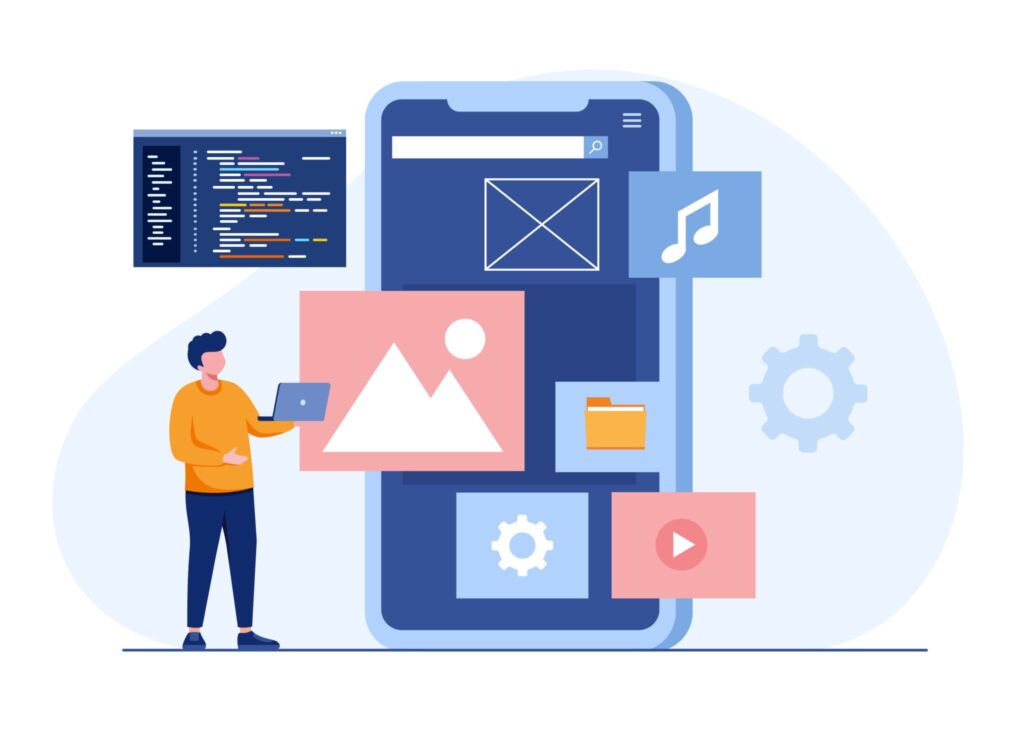
- Faster development timelines – Hybrid development is generally quicker than building separate native apps. A shared codebase reduces duplicate work and speeds up development, enabling faster launches and quicker iterations.
- Reusable codebase – Most of the Hybrid app code can be reused across platforms. This reduces redundancy, lowers development effort, and simplifies future enhancements and feature additions.
- Consistent user experience – Users experience similar functionality and interface design across platforms. This consistency improves user satisfaction and simplifies design and maintenance efforts.
- Simplified testing process – Testing a single codebase across platforms is more straightforward than managing separate native apps. This reduces testing complexity, saves time, and lowers quality assurance costs.
- Strong community support – Hybrid frameworks benefit from large and active developer communities. These communities contribute libraries, plugins, and documentation that make development and troubleshooting easier.
- Cost efficiency – Hybrid app development typically requires smaller teams and shorter development cycles. This makes it a more cost effective option compared to native development, especially for startups and budget conscious projects.
- Access to native device features – Hybrid apps can access many native features such as camera, GPS, and sensors through plugins and APIs. Frameworks like React Native, Flutter, and Xamarin provide tools to balance performance with cross platform flexibility.
- Rapid prototyping – Hybrid development supports quick prototyping and iterative development. This helps teams test ideas faster, gather early user feedback, and refine features efficiently.
- Easier updates and maintenance – Updates and bug fixes can be applied once and reflected across all platforms. This simplifies long term maintenance and reduces the risk of platform specific inconsistencies.
What are the drawbacks of Hybrid application development?
- Performance limitations – Hybrid applications may not deliver the same level of speed and responsiveness as native apps. This is especially noticeable in resource intensive or complex applications that require heavy processing or smooth animations.
- Limited access to native features – If your app relies heavily on platform specific features such as advanced camera controls, sensors, or system level APIs, hybrid development may restrict full access to these capabilities.
- UI and UX challenges – Achieving a true native look and feel can be difficult with hybrid apps. This can result in subtle differences in user interface behaviour and overall experience compared to fully native applications.
- Plugin compatibility issues – Hybrid apps depend on plugins to access native features. If plugins are poorly maintained or not updated regularly, they can cause compatibility problems or functionality gaps.
- Platform specific limitations – Hybrid applications may face issues unique to individual platforms. These often require workarounds or additional third party dependencies, increasing development complexity.
- Debugging and troubleshooting complexity – Debugging hybrid apps can be more challenging than native apps. Issues may arise from the interaction between hybrid code and native components, making root cause analysis harder.
- Limited offline functionality – While hybrid apps can support offline usage, they may not provide the same depth of offline capabilities as native apps. This can be a drawback for applications that must function reliably without connectivity.
- Dependency on third party plugins – Relying on external plugins increases the risk of compatibility issues, security vulnerabilities, and long term maintenance challenges if those plugins are deprecated or unsupported.
- Complex build and deployment process – As hybrid projects scale, building and deploying across multiple platforms can become complex. Platform specific configurations and nuances can add to operational overhead.
- Security concerns – Hybrid apps can introduce additional security risks. Research by BlackDuck highlights that third party plugins and libraries often lag behind operating system updates, delaying critical security patches and increasing the risk of data leaks or compromised app integrity.
Choosing between Hybrid and Native application development
| Criteria | Native Application Development | Hybrid Application Development |
| Performance | ✔ High performance and speed | ✖ Might not excel in terms of screen navigation, rendering etc as compared to Native applications |
| User experience | ✔ Native user experience | ✖ Animations and the feel of intuitiveness will not be as high-performing compared to Native. |
| Maintainability of the development team expertise | ✖ Requires platform-specific expertise. Due to its existence this is not a problem. | ✔ You won’t need to manage different teams from different expertise. |
| Budget and timeline | ✖ Higher initial cost and longer development time | ✔ Cost-effective and faster development |
| Cross-platform compatibility | ✖ Separate codebase for each platform (iOS and Android) | ✔ Single codebase for multiple platforms (iOS and Android) |
| Access to native features | ✔ Platform itself provides access to reach out the components like camera, photos etc. | ✖ Limited access, may require plugins |
| Suitability for complex applications | ✔ Ideal for complex, feature-rich apps | ✖ You can build complex applications using Hybrid as well but you might face some challenges because there could be higher dependency on open-source packages. |
| Maintenance and updates | ✖ May require more effort for maintaining two codebases | ✔ Easier updates with a single codebase |
| Code reusability | ✖ Code is platform-specific | ✔ Code can be reused across platforms |
| User interface Design | ✔ Intuitive look and feel on each platform | ✖ May require platform-specific design adjustments. |
| Community support | ✔ Both platforms owns a great community support. | ✔ Both platforms owns a great community support. |
| Debugging and troubleshooting | ✔ Comprehensive and platform-specific debugging tools | ✖ Comparatively more complex than Native applications. |
| Security concerns | ✔ Stronger security measures | ✔ Though you have secured features here but sometimes you might have to be highly dependent on open source packages. |
| Platform-specific issues Development bugs and issues | ✔ Chances of bugs and issues could be slightly higher since there happens to be two codebases | ✖ Since the this is going to be handled in a single codebase, chances of bugs could comparatively be lesser |
| Prototyping and MVPs | ✖ May not be the quickest option for rapid prototyping | ✔ Suitable for quick prototyping |
Questions to ask yourself to help you decide.
In the fast changing world of mobile app development, choosing between Native and Hybrid approaches is a critical decision. As we have explored, each approach comes with its own strengths and limitations. The right choice depends on the specific goals and constraints of your project.
Native development stands out for its high performance and deep integration with platform-specific features. Hybrid development, on the other hand, offers better cost efficiency and faster reach across multiple platforms.
To make the right decision, you should carefully evaluate key factors such as performance requirements, available development resources, timelines, budget, and long-term scalability goals. This balanced assessment will help you choose the approach that best supports your application’s success.
Ask yourself these questions before you make a final decision.
- Ask yourself whether your app requires high performance, complex animations, or deep access to device-specific features such as sensors, camera controls, or hardware acceleration.
- Evaluate whether your business application’s core or distinctive feature can be realistically implemented. Creating a Proof of Concept with experienced experts can help validate feasibility before full-scale development.
- Decide if your application needs to target multiple platforms like iOS and Android using a single codebase, or if your focus is primarily on one platform.
- Consider the hiring model your mobile project demands. Assess whether you already have in-house developers with native development expertise, or if outsourcing application development would be a more practical option.
- Define your budget limits and expected time to market. Hybrid development is often faster and more cost-effective, which may align better with tighter budgets or aggressive timelines.
- Determine how important a consistent user experience across platforms is for your application. Decide whether minor platform-specific variations are acceptable or if uniformity is essential.
- Plan how long-term maintenance and future updates will be managed. Consider how frequently updates will be required and how easily they can be rolled out across platforms.
- Assess whether your application must function seamlessly in offline mode or if it can depend on an active internet connection for most features.
Use the above as a basic template as the optimal choice may vary from one project to another based on your unique requirements and constraints.
Next, you need to choose a development framework
When starting an app development journey, choosing between hybrid and native frameworks can feel like navigating a wide landscape of possibilities. Each option offers distinct advantages, depending on your goals, budget, and performance needs.
Hybrid frameworks such as React Native, Flutter, and Ionic attract teams with their cross-platform compatibility. They allow developers to build a single codebase that runs on multiple platforms, making them a cost-effective way to reach a wider audience faster.
Native frameworks like Swift for iOS and Kotlin for Android focus on delivering high performance and deep integration with device capabilities. These frameworks provide full access to platform-specific features and deliver a refined user experience that feels truly native.
Flutter and React Native often sit at the center of the Native versus Hybrid discussion. Both aim to strike a balance between native-like performance and code reusability, making them popular choices for modern cross-platform development.
Wondering whether Flutter or React Native would be the better fit for your application development needs? Check out this article on Flutter Vs React Native for more details on how you can choose the best way for developing your application.
Still unsure about your next step? Feel free to reach out to our team.