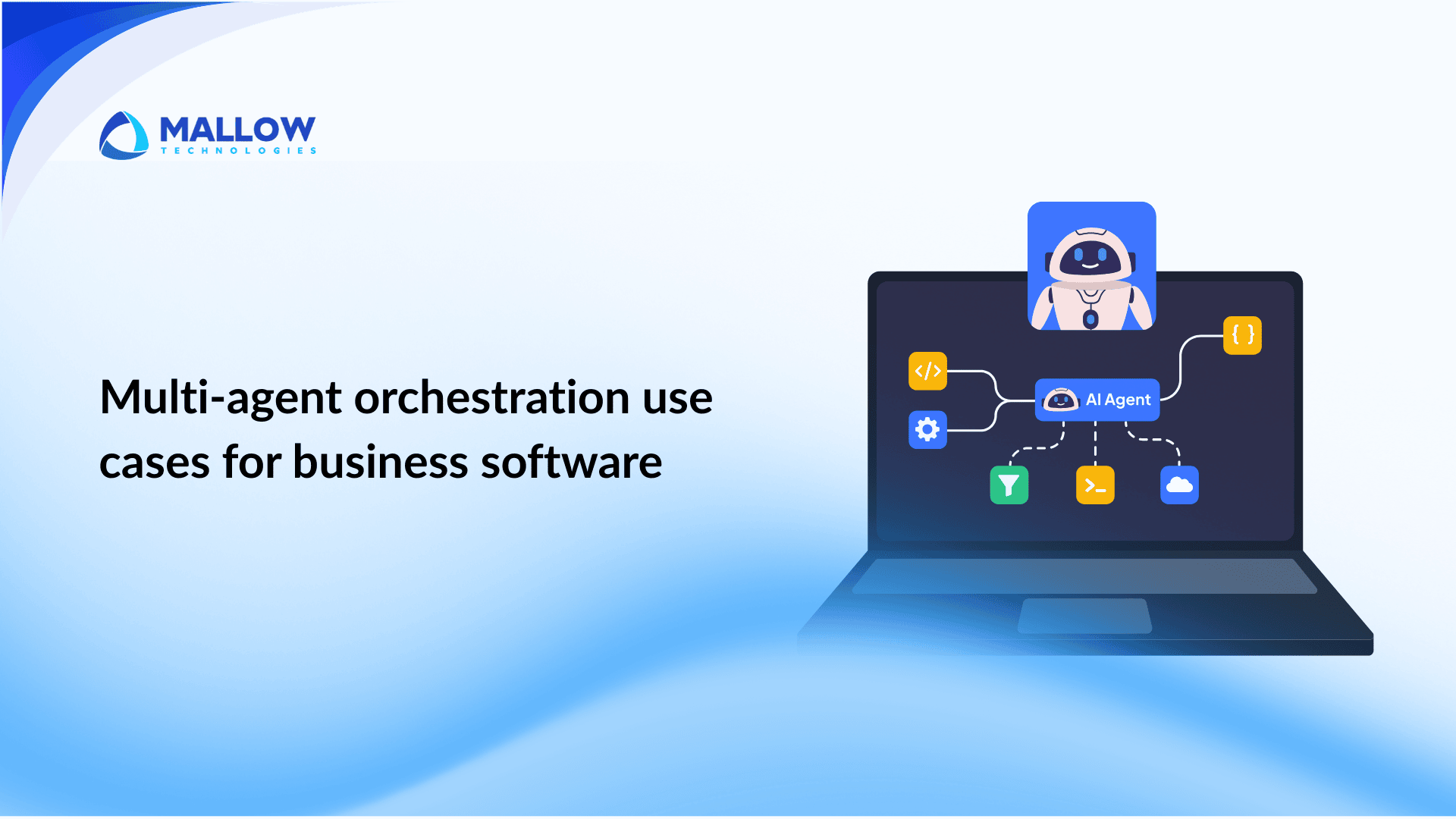
Most content about multi-agent orchestration describes what it is. This article describes where it actually works in production business software, what the coordination looks like inside each use case, and which ones are worth prioritizing for a first build.
The distinction matters because not every workflow benefits from multi-agent orchestration, and not every use case that sounds appealing is production-ready. According to McKinsey’s June 2025 analysis of agentic AI, the organization’s capturing the most value from agentic AI are those starting with use cases where the data is structured, the workflow boundaries are clear, and the output lands directly in a tool their team already uses. That filter eliminates a significant portion of the use cases that get proposed in early planning conversations and leaves a smaller, more actionable set.
This article covers that actionable set, with specific workflow mechanics for each one.
Why use case selection determines whether your build succeeds or stalls
Before the use cases, a practical constraint is worth understanding. Deloitte’s February 2026 technology predictions report projects that 50 percent of enterprises using generative AI will deploy autonomous AI agents by 2027, up from 25 percent in 2025. The adoption is accelerating. But the same research notes that in 2025, most successful deployments were concentrated in specific domains rather than spread across organisations.
The use cases where multi-agent orchestration delivers clear, measurable value share three characteristics –
- The task involves multiple steps with different domain requirements (no single agent can handle it all reliably)
- The inputs are structured enough that agents can reason over them without constant error correction
- The output feeds into a workflow that already exists, rather than requiring a new process to be built around the agent
Use cases that fail to meet these three criteria typically produce agents that work in demos and degrade in production. The sections below are organized around use cases that consistently meet all three.
Customer support - The most deployed use case in production
Customer support is the canonical multi-agent orchestration use case, and there is a specific reason for that. A complex support interaction combines intent classification, domain routing, tool usage, and context continuity in a single workflow. No other business function produces that combination as consistently, at that volume, with those clear success metrics.
How the agent coordination works inside a support workflow
A well-designed support orchestration system routes each incoming request through a structured coordination pattern rather than asking a single agent to handle everything. The pattern follows a consistent structure regardless of the specific product or industry.
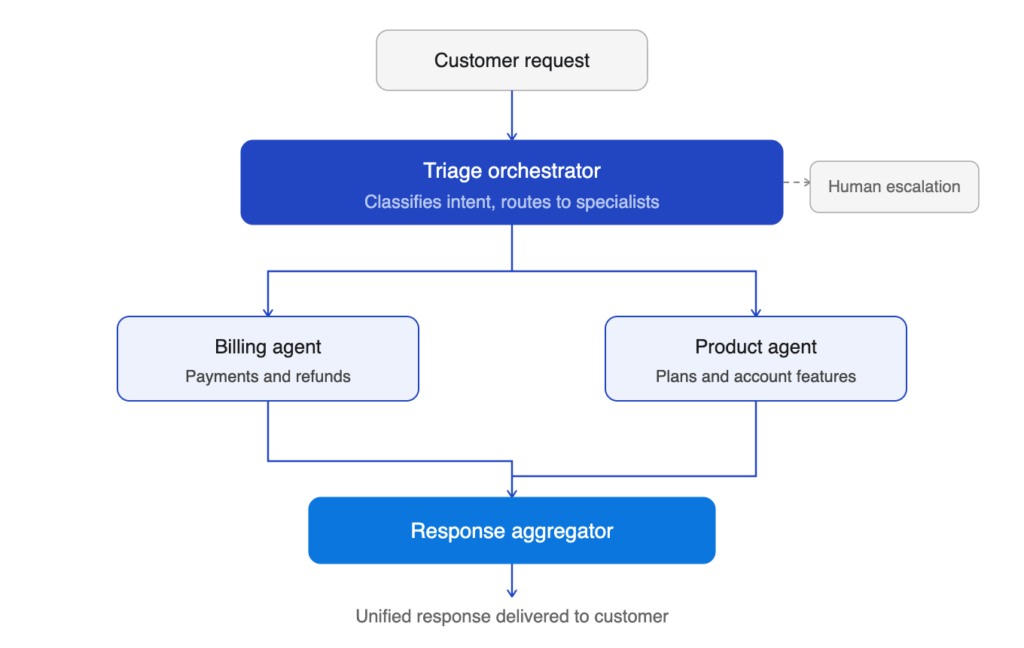
The orchestrator receives the incoming message and classifies it. If the message contains multiple intents (for example, a customer reporting a billing error and asking to upgrade their plan simultaneously), the orchestrator decomposes it into parallel subtasks and dispatches each one to the appropriate specialist. A billing agent and a product agent execute simultaneously, each with access only to the data relevant to their domain. The orchestrator then aggregates both outputs into a single coherent response.
The key insight in this architecture is that scope isolation per agent, where the billing agent never sees product catalog data and the product agent never sees payment records, reduces per-request token consumption significantly compared to a monolithic single-agent approach, while also preventing cross-domain errors where one agent’s data contaminates another agent’s reasoning.
Here is what the coordination looks like as a system –
What this use case requires to run reliably
The architecture above works well when three conditions are in place. First, the intent classifier must be fast and accurate. Slow or inaccurate triage produces latency and misrouted requests that the specialist agents cannot recover from. Second, each specialist agent must have its data access locked to its domain. Cross-domain access increases per-request token costs and introduces hallucination risk. Third, the aggregator needs a structured output format contract from each specialist. Unstructured natural language outputs from specialists make aggregation unreliable.
When these three conditions are not met, the typical failure mode is a system that performs well for the 80 percent of requests that are straightforward and breaks visibly on the 20 percent that are compound or unusual.
Financial operations - Document-heavy, rule-governed, and high-value
Financial operations workflows are a strong fit for multi-agent orchestration for a specific structural reason – they involve large volumes of documents, clearly defined processing rules, and high cost-per-error that makes automation valuable even with meaningful engineering investment.
Invoice processing and claims handling
Invoice and claims processing follows a predictable structure that maps cleanly to a multi-agent pipeline. A document parser agent extracts structured data from incoming documents. A validation agent cross-references extracted data against purchase orders, policy conditions, and business rules. A decision agent assesses completeness and produces an approval, rejection, or escalation outcome. A notification agent writes to the accounting system, updates records, and sends confirmation to the relevant parties.
According to case study data published by Multimodal.dev in May 2025, a mortgage lender deploying Document AI and Decision AI agents to handle loan paperwork achieved a 20-times faster approval process while reducing processing costs by 80 percent. A separate insurance underwriting deployment showed autonomous agents parsing applications with over 95 percent accuracy, enabling significantly faster policy issuance compared to manual processing.
The specific advantage of multi-agent orchestration in these workflows is that each agent can specialise in one layer of the process. The document parser does not need to understand business rules. The decision agent does not need to understand document parsing. The result is higher accuracy at each step and easier fault isolation when something goes wrong.
Compliance monitoring and fraud detection
Compliance and fraud detection workflows involve continuous monitoring of transaction streams, flagging anomalies, cross-referencing against regulatory requirements, and producing structured findings for human review. A single agent attempting this full chain produces context overload and slower responses as transaction volumes scale.
A multi-agent approach assigns detection, investigation, and reporting as separate roles. The detection agent monitors for anomaly patterns. The investigation agent pulls related records and evaluates context. The reporting agent structures findings into a format that a compliance team can act on. Each agent processes a narrower slice of the problem with appropriate tools, and the combined output is faster and more precise than what a monolithic approach produces.
Here is what the financial operations pipeline looks like as a coordinated system –

Why financial workflows are structurally ready for multi-agent orchestration
The reason financial operations consistently appear among the earliest successful multi-agent deployments is structural. The inputs (invoices, claims, applications) are documents with consistent fields. The rules (policy conditions, compliance requirements, approval thresholds) are explicit and encodable. The output destination (accounting systems, ERP, email notifications) is well-defined. That structural clarity is precisely what makes a workflow ready for agent coordination.
Sales and CRM automation - Qualification, enrichment, and pipeline intelligence
Sales workflows present a different profile from customer support and financial operations. The data is less structured, the inputs vary significantly, and the output quality depends heavily on the quality of the information the agents can access. These characteristics make sales automation a strong use case for multi-agent orchestration when the data foundation is sound, and a frustrating one when it is not.
Lead research and qualification agents
A lead qualification workflow typically involves multiple data sources: CRM data, company information from external databases, recent news and signal data, and the content of any prior interactions. A single agent pulling all of this simultaneously produces context overload and slower responses.
A multi-agent approach assigns research and classification as separate tasks. A research agent gathers company data, identifies relevant signals, and produces a structured brief. A qualification agent applies the ideal customer profile criteria to the brief and produces a qualification score with reasoning. A CRM agent writes the structured output back to the relevant record. The sales team receives a qualified lead with full context rather than a raw contact.
Pipeline monitoring and forecasting
Pipeline intelligence agents monitor deal progression signals, flag accounts that are showing risk of stalling or disengagement, and produce recommended actions for the sales team. This is a strong parallel execution use case: multiple accounts can be evaluated simultaneously by separate agent instances, and the results aggregated into a prioritized list for the team’s daily review.
The output format matters significantly here. An agent that produces a weekly report that no one opens delivers no value. An agent that pushes a concise, prioritized action list to the tool the sales team uses every day delivers measurable impact.
Developer and engineering productivity - Where teams are seeing the fastest returns
According to McKinsey’s State of AI 2025, software engineering and IT report the strongest function-level ROI from AI agent deployments, with cost reductions in the 10 to 20 percent range. The specific workflows driving those results are not vague “AI-assisted coding” features. They are well-defined multi-agent pipelines with specific inputs, outputs, and integration points.
CI/CD pipeline triage – A monitoring agent detects a build failure. An investigation agent analyses logs, recent commits, and historical failure patterns to identify the probable cause. A notification agent structures a concise triage brief and delivers it to the relevant engineer. The total time from failure to actionable context drops from twenty minutes of manual log-reading to under two minutes of agent-driven analysis.
Code review and security scanning – A code analysis agent reviews a pull request against the codebase’s established patterns. A security agent runs the changes against known vulnerability signatures. A documentation agent checks that any new functions are documented correctly. Three agents run in parallel, and the aggregated review arrives in a fraction of the time a human review cycle takes.
Incident response and runbook execution – When a production alert fires, a detection agent determines the probable scope. A runbook agent matches the incident to known resolution patterns and generates a recommended action sequence. A communications agent drafts the incident update for internal stakeholders. The on-call engineer receives structured context and a proposed response rather than starting from scratch.
Internal operations - HR, knowledge management, and request routing
Internal operations are frequently underestimated as a deployment target, and that underestimation often comes from the visibility problem: internal efficiency gains are harder to attribute to specific initiatives than customer-facing metrics.
The practical case is straightforward. HR request routing, IT helpdesk triage, internal knowledge retrieval, and approval workflows all share the structural characteristics of strong multi-agent candidates. They are high-volume. They are repetitive. The data is structured. The rules are explicit. The outcome of a wrong output is low-stakes enough that human review catches most errors before they cause downstream problems.
An internal knowledge agent connected to documentation, runbooks, and decision records answers the questions a new employee or a returning team member would otherwise route to a senior colleague. The questions a new hire asks in their first month tend to be the same twenty questions. An agent that answers them consistently frees the senior team from a disproportionate share of their reactive overhead.
How to choose your first use case
The highest-failure moment in multi-agent orchestration is not the build. It is the use case selection. Teams that start with a workflow that is too complex, too dependent on unstructured data, or too far removed from an existing team workflow produce systems that work in testing and degrade in production. Choosing the right entry point is the most consequential decision in the process.
Here is a practical readiness framework for evaluating any candidate use case before committing to a build –

When evaluating any use case against this framework, five questions determine readiness –
- Is the input data structured and accessible via API? Unstructured inputs require a data preparation phase before the agent layer is viable. Underestimating this is the most expensive mistake teams make.
- Are the processing rules explicit? Workflows governed by clear, encodable rules (approval thresholds, policy conditions, SLA criteria) produce reliable agent outputs. Workflows that require human judgment at every step are not ready for autonomous agent execution.
- Does the output have a clear destination? If the agent output feeds into a system the team already uses (CRM, ticketing system, ERP, Slack), adoption is straightforward. If it produces a new output format requiring a new workflow to be built around it, the adoption barrier compounds the build complexity.
- Is the task volume high enough to justify the investment? Multi-agent systems require meaningful engineering investment. A workflow that happens twice a month does not justify that investment regardless of how well-designed the architecture is.
- Can a wrong output be caught before it causes downstream harm? This determines where human-in-the-loop checkpoints are required and informs the failure mode design before the system goes live.
Use cases that score well on all five criteria are ready to build now. Use cases that score poorly on the first two criteria require foundational data work before an agent layer is viable.
After evaluating against these criteria, the priority sequence tends to be consistent. Here is the implementation framework that experience across production deployments supports –

According to Gartner’s August 2025 enterprise applications research, 40 percent of enterprise applications will include task-specific AI agents by the end of 2026. And Deloitte’s February 2026 report projects that 50 percent of enterprises using generative AI will deploy autonomous agents by 2027. The competitive pressure to act is real. The organisations that will be ahead of that curve are not the ones that tried to orchestrate everything simultaneously. They are the ones that chose one high-value use case, built it correctly, and established the data and infrastructure foundations that make every subsequent build faster and more reliable.
If you want to assess which use case is the right first build for your specific product and data environment, talk to our engineering team. We work with SaaS founders across the full build cycle from use case selection through production deployment.
What every high-performing use case has in common
Across every use case category covered in this article, the deployments that work share three characteristics that are worth naming directly.
The data was ready before the agents were – Every production system that performs reliably started with clean, structured, API-accessible inputs. Teams that tried to solve data quality problems inside the agent layer spent significantly more engineering time and produced systems that were harder to maintain.
The output landed in an existing workflow – The most successful implementations did not require teams to adopt a new process to benefit from the system. The agent output went to the CRM they already used, the ticketing system they already worked in, or the Slack channel they already monitored. Adoption was built into the architecture from the start.
Human oversight was designed deliberately, not added reactively – Every use case covered here has a defined escalation path. The teams that designed those paths before going live had significantly fewer production incidents than the teams that added them after the first failure.
What happens after you fill-up the form?
Request a consultation
By completely filling out the form, you'll be able to book a meeting at a time that suits you. After booking the meeting, you'll receive two emails - a booking confirmation email and an email from the member of our team you'll be meeting that will help you prepare for the call.
Speak with our experts
During the consultation, we will listen to your questions and challenges, and provide personalised guidance and actionable recommendations to address your specific needs.

Author
Jayaprakash
Jayaprakash is an accomplished technical manager at Mallow, with a passion for software development and a penchant for delivering exceptional results. With several years of experience in the industry, Jayaprakash has honed his skills in leading cross-functional teams, driving technical innovation, and delivering high-quality solutions to clients. As a technical manager, Jayaprakash is known for his exceptional leadership qualities and his ability to inspire and motivate his team members. He excels at fostering a collaborative and innovative work environment, empowering individuals to reach their full potential and achieve collective goals. During his leisure time, he finds joy in cherishing moments with his kids and indulging in Netflix entertainment.