There is a version of this decision that happens in a sprint planning meeting.
Someone mentions that a competitor just shipped an AI summary feature. Another person suggests adding one to the dashboard.
Everyone agrees it sounds good. It gets added to the roadmap. Engineering starts work three weeks later.
There is another version where the founding team spends a full afternoon reviewing support tickets, usage data, NPS verbatims, and session recordings before writing down a single candidate feature. Then they spend another week asking whether the data the feature would rely on is actually clean enough to support it.
The products that come out of the first version tend to show up in the data as that 94% that gets ignored. Userpilot’s analysis of feature adoption data found that only 6.4% of features drive 80% of click volume across the products in their dataset, meaning 94% of everything teams ship gets ignored. The AI feature on your pricing page that nobody returns to after week three is an expensive version of that same pattern.
The decision about which part of your product gets GenAI first is not a feature decision. It is a sequencing decision. The first feature sets the tone for everything that follows. If it works, it builds user trust in AI as a capability inside your product and makes the second feature easier to adopt. If it fails, it creates scepticism that the team then has to overcome before anything else lands.
This article gives you a practical framework for making that decision well. By the end, you will know which signals to look for, how to evaluate candidate features against five prioritisation criteria, and what good sequencing looks like in practice.
Why choosing the right first feature matters
Most SaaS founders who sit down to think about GenAI features end up with a list fairly quickly. Summaries, smart search, first-draft content, anomaly detection, recommended actions. The list is not the hard part. The hard part is knowing which one to start with.
The reason the order matters is that your first GenAI feature carries a disproportionate share of the trust budget. Users who try it and find it useful become significantly more likely to try subsequent AI features. Users who try it and find it unreliable, confusing, or barely different from what they already had become significantly harder to re-engage.
Research from the GoodFirms AI SaaS Trends 2026 survey found that 65.9% of current AI SaaS buyers had already tried an off-the-shelf tool, internal build, or a different vendor before engaging a new one, with only 9.1% making their first AI investment. These second-attempt buyers are not pessimistic about AI. They are experienced with it. They have been burned by a previous implementation that failed to deliver and they are now considerably more selective.
Your product’s first AI feature is creating that same experience inside your own user base. Build the wrong thing first and you create your own internal second-attempt problem. The feature that should have worked does not, users form a sceptical prior, and your team has to spend additional capital getting them to engage with the next attempt.
Build the right thing first and the calculus flips. Every subsequent AI feature gets a warmer reception because users have already had a good experience.
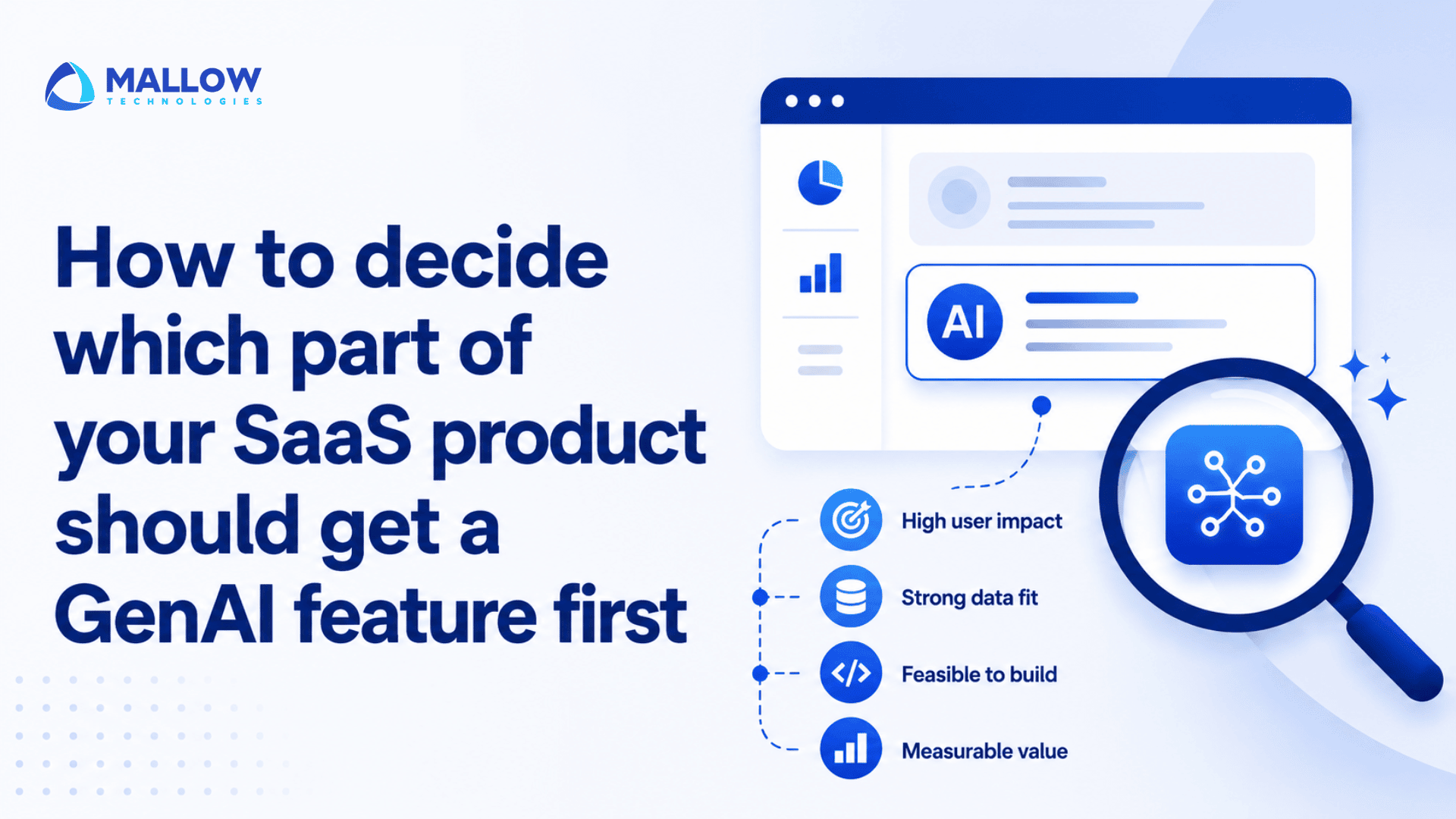
The five criteria that determine where to start
Good GenAI feature prioritisation in a SaaS product involves five distinct considerations. Classic product frameworks like RICE get parts of this right, but they miss dimensions that are specific to generative AI – data readiness, inference cost, rollback complexity, and the question of whether the output is verifiable. Userpilot notes that for AI features, standard effort estimates need to be recalculated to include evals, monitoring, run cost, support burden, rollback complexity, and compliance review, because what looks like low effort in a classic framework often becomes medium or high effort once those factors are included.

Here is how each of the five criteria works in practice.
Does this feature solve a real workflow problem?
The single most reliable signal for where to start is genuine user friction in a high-frequency workflow. Not pain that the product team has hypothesised. Pain that users have expressed directly.
The places to find this signal are consistent. Your support queue will have clusters of tickets where users are doing something that should be easier. Your NPS verbatims will have specific complaints about steps that take too long or tasks that feel manual. Your session recordings will show users tabbing between your product and a spreadsheet to do something that your product should handle. Your churn exit surveys will point to specific moments where the product stopped earning its cost.
Before prioritising an AI feature, ask whether you can describe the specific moment in a customer’s workflow where this creates a noticeably better outcome than what they have today. If you cannot describe that moment precisely, the feature is probably solving a hypothesis rather than a user pain.
The strongest candidates for a first GenAI feature are the ones where that moment is vivid, frequent, and already visible in your data.
Is your data ready for this feature?
This criterion eliminates more candidate features than any other. You can have the clearest workflow friction signal in the world and still build a feature that fails in production if the data it relies on is not clean, structured, and sufficient.
Organisations often underestimate the importance of data quality, accessibility, governance, and structure when launching AI initiatives.
Before any candidate feature advances past the idea stage, run a data audit. For the specific data the feature would operate on, assess – what is the null rate in the key fields? Is the data consistently formatted across records? Does it have the domain-specific labels or metadata the model would need? Has it been used successfully by any other analytical or reporting feature?
Features that operate on clean, well-structured data that your product already uses reliably for reporting or filtering are your lowest-risk candidates. Features that would depend on data that has never been used by anything other than display logic are higher risk and require more preparation before the model work begins.
Can you measure whether it actually works?
You need to be able to state, before building, the one metric this feature will move. Time saved per workflow completion. Support ticket deflection rate. Feature adoption within the first week. Task completion rate for a specific user flow.
If you cannot state the one metric an AI feature will move, deprioritise it or scope it as research and development rather than a production feature.
This rule is not about bureaucracy. It is about preventing the pattern that causes most AI features to get quietly removed from products six months after launch. That pattern is – the feature ships, nobody defines what success looks like, usage is measured against launch-day traffic, the data is ambiguous, and the team moves on to the next thing without ever learning whether the feature worked or not.
The measurability criterion also helps with sequencing. Features with the clearest measurable outcome should go first, because they will tell you the most about how your users respond to AI-assisted workflows generally.
Can users check whether the AI is right?
This criterion is specific to generative AI and it is one that most teams underweight when building their first feature.
A GenAI feature with verifiable output is one where users can check whether the AI was right before they act on it. A suggested email draft can be read before sending. An anomaly alert can be checked against the underlying metric. A recommended next action can be compared against what the user already knows about the situation.
A GenAI feature without verifiable output is one where users have to trust the AI without any mechanism to validate it. A score. A classification. A summary of a document they cannot easily re-read.
The first type of feature is forgiving. If the AI is occasionally wrong, users catch it, correct it, and keep using the feature. The second type is trust-destroying. A confidently wrong answer that the user acts on because they had no way to check it is the kind of incident that removes a feature from a user’s consideration permanently.
For your first GenAI feature in particular, optimising for verifiability is not optional. Pick a candidate where the output can be read, checked, or compared against something the user already knows before any action is taken.
Can you afford to run and maintain it?
The cost of a GenAI feature does not look like the cost of a conventional feature. There is the build cost, which includes evals, monitoring infrastructure, and testing against adversarial inputs. There is the inference cost, which scales with usage and can produce significant surprises if not modelled correctly before launch. There is the support burden, because users who get unexpected outputs generate tickets at a higher rate than users of deterministic features. And there is rollback complexity, because removing a generative feature that users have started relying on is more disruptive than removing a deterministic one.
Organisations with greater experiential maturity are increasingly prioritising proven outcomes over speculative potential, and budget scrutiny is higher for features that cannot demonstrate ROI.
For your first feature, the cost dimension counsels choosing something with bounded inference requirements. A feature that triggers on a specific user action, against a defined data set, with a predictable context window size, is considerably easier to cost than a general-purpose AI assistant that can be invoked at any time with any prompt.
How do you narrow down your options?
With the five criteria defined, the practical process for building a shortlist looks like this.

Start by pulling your support tickets from the past three months and identifying the five workflows that generate the most friction-related tickets. Not general bugs. Friction specifically – steps that take too long, tasks that require multiple systems, actions the user wishes they did not have to do manually.
Pull your NPS verbatims from the same period and look for language that describes time or repetition. “I have to manually” is a signal. “It takes me forever to” is a signal. “I wish it would just” is a signal.
Pull your session recordings and look for the five most common places where users navigate away from your product to an external tool and then return. Those exits are friction made visible.
Now you have a list of friction-heavy areas. For each one, ask the five questions corresponding to your criteria –
Is the friction vivid and frequent? Is the data the feature would rely on clean and ready? Can you state the one metric it would move? Can users verify the output before acting on it? Can you model the inference cost at projected usage volume?
The candidates that score well on all five are your starting shortlist. The ones that fail on data readiness or cost modelling are not eliminated from the roadmap. They need additional preparation before they are ready to move.
The four feature patterns that earn first-position
Across the research on which GenAI features have the strongest adoption and retention in SaaS products, four patterns consistently emerge as the best candidates for the first feature in a product.

High-frequency, low-stakes generation
A feature where the AI produces a draft that the user edits before using. First-draft emails, suggested meeting notes, auto-populated fields based on context. The user is always the last step before anything happens. This makes errors recoverable and keeps trust intact even in the early weeks when the model is learning the context.
In-workflow anomaly surfacing
Rather than asking users to go somewhere new, the feature surfaces an insight at a moment the user is already present. “This account’s engagement dropped significantly this week” appearing on the customer page the user is already reviewing. The AI is additive. No new behaviour is required.
Domain-specific summarisation
Not generic summarisation. Summarisation of a specific, bounded content type that your users currently produce or consume as part of their core workflow. A contract summary in a legal tech product. A deal progress summary in a CRM. A patient history digest in a health platform. The domain specificity is what makes the summary useful rather than generic.
Predictive action recommendation
Suggesting the next action in a workflow the user is already executing, based on patterns from what users in similar situations have done. The key is that the suggestion is visible, attributable to a clear rationale, and easy to dismiss if wrong. Users build trust in AI recommendations that are sometimes wrong but always honest about what they were based on.
The features that earn long-term adoption are consistently the ones that reduce friction inside an existing workflow rather than asking users to learn something new.
What should you do before you start building?
The shortlist is not a build list. A candidate that passes the five criteria still requires preparation before engineering work begins.
First, make sure your data is ready
Assess the specific data your feature will operate on. Identify any quality problems, missing metadata, or structural inconsistencies and fix them before the model work starts. Most AI feature failures in production trace back to data problems that were visible in the audit data before build began.
Be clear about what you expect the feature to achieve
Every GenAI feature should have a one-paragraph hypothesis before any code is written – what is the feature, which user segment will use it, what friction does it address, what metric will move if it works, and what does success look like at 30 days and 90 days? This document is not bureaucracy. It is the thing that prevents the six-month drift where a feature ships, nobody measures anything, and the team has no idea whether it worked.
Test the workflow before adding AI
Before building the AI, run a manual version of the same workflow with a small cohort of users. If you are building an AI summary feature, have someone on the team produce the summaries manually for ten users over two weeks and track whether those users find them useful. This step surfaces workflow integration problems before any model is involved and is considerably cheaper than discovering those problems in production.
Decide what happens when the AI gets it wrong
What does this feature do when the AI produces a wrong or unhelpful output? Does it fail visibly or silently? Is there a fallback? Is there a feedback mechanism? Every GenAI feature needs a documented failure mode before the build starts. Silent failure in production is the most common cause of user trust loss.
How should you sequence your first three GenAI features?

The teams that build AI credibility fastest in their user base are not the ones who ship the most features. They are the ones who ship three features in a row that users actually return to, each one building on the trust and data signal from the last.
Start with a GenAI feature users actually need
The right first GenAI feature is not necessarily the most impressive one or the one your competitors just launched. It is the one that solves a real user problem, fits naturally into an existing workflow, and gives you a clear way to measure whether it works.
Start with genuine workflow friction, validate your data, choose an output users can verify, and keep the cost and failure modes under control. A successful first feature does more than deliver immediate value. It builds the trust, usage data, and product understanding you need to make the next AI feature better.
If you’re deciding where GenAI can create the most value in your SaaS product, talk to our experts to identify and prioritise the right use case.
Your queries, our answers
The clearest signals are frequency and frustration. If users perform the task multiple times per week and you can find evidence of frustration with it in support tickets, NPS verbatims, or session recordings, it is a candidate. The task should also produce an output that the user can verify before acting on it, and your product should already have reliable data relevant to the task. Workflows that check all three of those conditions are your strongest starting candidates.
Prioritise by data readiness first. Among the areas with strong friction signals, start with the one where the underlying data is cleanest and most structured. You can address the others in sequence, but the one with the best data foundation will give you the fastest path to a feature that works correctly in production.
No. General AI assistants consistently show lower sustained adoption than domain-specific features. They also carry higher inference costs, more complex failure modes, and lower verifiability. Save the general assistant for later in the roadmap, after you have built trust with features that solve specific, bounded problems well.
Estimate the frequency the feature will be triggered per user per week, the approximate context window size each call will require, and the projected user count at three months and twelve months. Multiply those against the per-token cost of the model you plan to use. Compare the result against the revenue the feature is expected to protect or generate. If the cost modelling reveals a significant exposure, consider whether the feature can be redesigned to use a smaller model, a shorter context window, or trigger less frequently.
Two to four weeks with a cohort of ten to twenty active users is typically sufficient to surface the most important workflow integration problems. The goal is not to validate the AI quality. It is to validate that users will incorporate this step into their existing workflow at all. If users do not find the manual version useful, the AI version will face the same problem.
Weekly active usage at weeks two, four, and twelve. Feature contribution to NPS: ask specifically whether users noticed this feature. Hallucination or output error rate: track how often users correct or dismiss the AI output. Support ticket volume related to the feature. Inference cost per active user per week against the projected model. These five metrics together give you a clear picture of whether the feature is working technically, operationally, and commercially.
Ground the conversation in data rather than velocity. One GenAI feature that earns 30% weekly active usage at month three is worth more commercially than six features at 3% each. The 6.4% of features that drive 80% of engagement are the result of careful selection, not rapid shipping. Use the framework in this article to show stakeholders a deliberate, evidence-based process for choosing the right candidates, and commit to measuring the first feature rigorously before scaling to the next one.
What happens after you fill-up the form?
Request a consultation
By completely filling out the form, you'll be able to book a meeting at a time that suits you. After booking the meeting, you'll receive two emails - a booking confirmation email and an email from the member of our team you'll be meeting that will help you prepare for the call.
Speak with our experts
During the consultation, we will listen to your questions and challenges, and provide personalised guidance and actionable recommendations to address your specific needs.

Author
SathishPrabhu
Sathish is an accomplished Project Manager at Mallow, leveraging his exceptional business analysis skills to drive success. With over 8 years of experience in the field, he brings a wealth of expertise to his role, consistently delivering outstanding results. Known for his meticulous attention to detail and strategic thinking, Sathish has successfully spearheaded numerous projects, ensuring timely completion and exceeding client expectations. Outside of work, he cherishes his time with family, often seen embarking on exciting travels together.